Visualization
1D and 2D plots
plot_wavefunction_1d, plot_dual_space_1d (position and momentum side by side), plot_space_time_3d (a 1D evolution as a 3D surface), plot_density_2d, plot_density_snapshots_2d and plot_orthogonal_slices_3d produce publication-style Matplotlib figures with light and dark themes.
3D isosurfaces
IsosurfaceRenderer draws nested |ψ|² isosurfaces extracted with marching cubes and lit with a Lambert model. Surfaces can be coloured by the local quantum phase arg ψ or by level:
from quantumlab.visualization.volume_3d import IsosurfaceRenderer

r = IsosurfaceRenderer(grid, levels=(0.5, 0.15, 0.03), color_by='phase', potential=screen)
r.save(wf.psi, 'frame.png', t=solver.t, title='My simulation', note='density behind the screen ×40')
- Levels are fractions of a reference peak: each frame's own peak by default, or a fixed
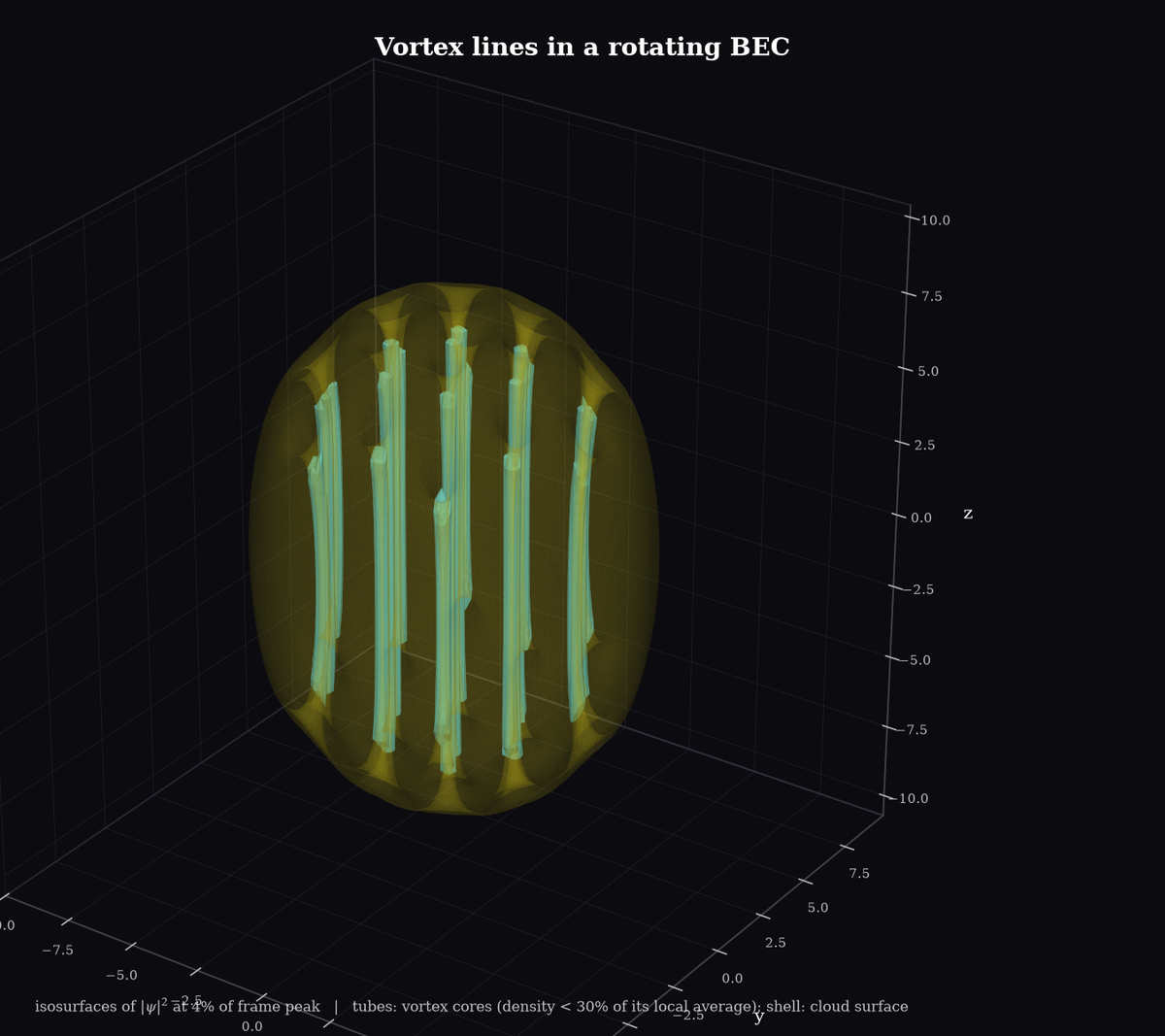
reference_peakso that spreading is shown faithfully. The caption printed on every frame states which. overlaysadds extra opaque surfaces under the translucent shells, for example vortex cores inside a condensate.
Animations
IsosurfaceAnimation streams frames to MP4 or GIF while the camera orbits, so a long high-resolution simulation never keeps its snapshots in memory:
from quantumlab.visualization.volume_3d import IsosurfaceAnimation

with IsosurfaceAnimation('run.mp4', grid, n_frames=100, orbit_degrees=90, levels=(0.4, 0.1)) as anim:
    for _ in range(100):
        wf = solver.evolve(wf, 5)
        anim.add_frame(wf.psi, solver.t)
animate_isosurfaces does the same for a list of snapshots. export_interactive_html writes a rotatable Plotly view with a time slider.
Note
3D rendering needs the viz3d extra (scikit-image, Plotly). MP4 needs ffmpeg; GIF does not.